If you’ve ever watched your development team painstakingly enter donations into a CRM, only for your finance team to re-enter the same information into QuickBooks an hour later, you already understand the frustration at the heart of this article. Disconnected systems aren’t just annoying. They quietly drain your team’s capacity, create reporting headaches, and pull focus away from the work that actually matters.
So let’s fix that. In this piece, we’re going to walk through how integrating your donor database with your financial accounting software works in practice, which tools play nicely together, and how to set everything up without losing your mind in the process.
Why Donor Database Integration Is Non-Negotiable
Nonprofit teams often treat donor management and financial accounting as totally separate workflows. One person enters a gift into the CRM. Another logs it manually in QuickBooks. A third tries to reconcile the two at month-end. Sound familiar?
This fragmented approach tends to create three predictable problems. First, there’s the wasted time. One small nonprofit reported saving 10 hours per week on manual entries after connecting its donation platform with accounting software (Momentive Software). Second, data inconsistencies quietly erode trust. When donor histories don’t match financial records, audit prep becomes a nightmare and board reporting loses credibility fast. And third, there’s the scalability wall. As your organization grows, multi-system setups multiply errors, and 82% of nonprofits now use AI in some capacity yet still battle disconnected donor databases and separate grant tools that produce mismatched reports (Accounting Seed).
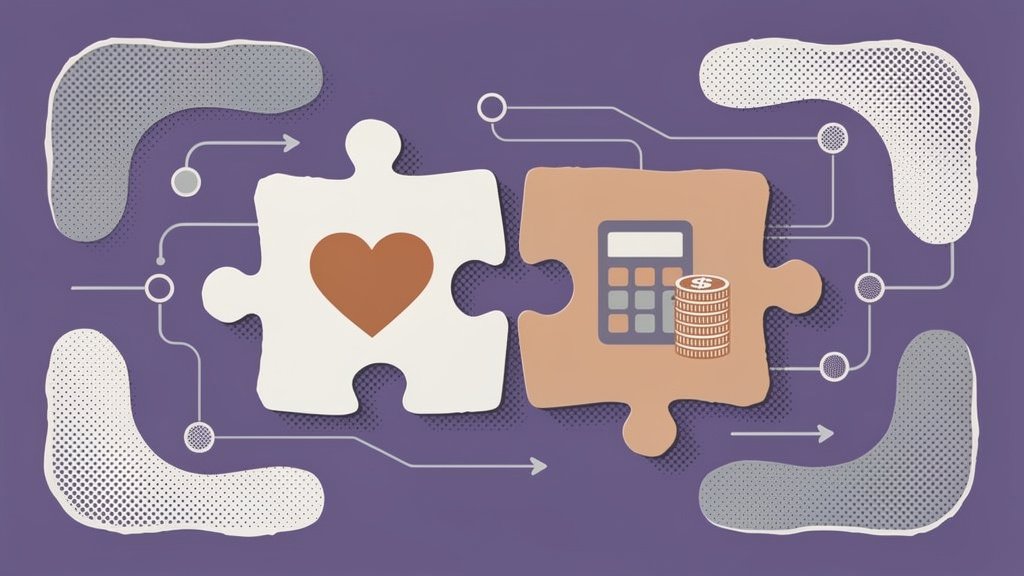
Integration solves all three by creating a single source of truth that flows automatically between your donor CRM and your accounting system.
Protip: Before starting any integration project, spend one week tracking every manual step between your donor CRM and accounting software in a simple spreadsheet. Quantifying the time lost builds a compelling internal case for change and helps you prioritize which data mappings matter most.
What We See Every Day Before Nonprofits Fix This
Working with nonprofit leaders at Funraise, we run into the same patterns over and over. We’ve started calling them by name, honestly.
There’s the “monthly fire drill,” where a development director and bookkeeper spend an entire Friday cross-referencing donation reports against QuickBooks entries, finding $200 in discrepancies nobody can fully explain, and patching things together right before the board meeting.
There’s the retention blind spot, where an organization has a 45% lapsed donor rate but can’t figure out why because giving history lives in the CRM while refund and fee data lives in accounting. Nobody connects the dots until it’s too late.
And then there’s the audit scramble. Come audit season, staff are pulling data from three different systems, formatting everything manually in Excel, and hoping the numbers align. They usually don’t on the first pass.
These aren’t edge cases. They’re the norm for organizations running disconnected systems, and they’re entirely preventable.
Choosing the Right Tools: A Quick Comparison
Not every integration is created equal. Your choice depends on organizational size, budget, and which accounting platform you’re already using. Here’s a side-by-side look at popular donor management and accounting software pairings:
| Donor Tool | Accounting Integrations | Key Sync Features | Best For |
|---|---|---|---|
| Funraise | QuickBooks Online, Daxko | Real-time donor/customer sync, sales receipts, fee mapping | Small to mid-size nonprofits wanting an all-in-one solution |
| DonorPerfect | QuickBooks | Gift-to-bank mapping, class tracking, staff access controls | Fundraising-focused orgs |
| Salesforce NPSP | QuickBooks (via connectors) | Real-time donation tracking, batch sync | Large enterprise nonprofits |
| Xero App Marketplace | Various charity-specific tools | Contact/transaction sync, expense reconciliation | Budget-conscious organizations |
Funraise stands out here because it combines a built-in donor CRM with native QuickBooks Online sync. You toggle on the integration in settings, map your accounts and classes, and supporters automatically flow as customers with transaction details like amount, date, and memo. No middleware required. Plus, you can start on the free tier to test everything before committing to anything.
Step-by-Step: Setting Up Your Integration
Here’s a practical walkthrough using the Funraise and QuickBooks Online integration as an example. Most CRM-to-accounting setups follow a similar pattern, so even if you’re using different tools, this logic should translate pretty well.
- Access integrations. Navigate to your donor CRM’s integration settings. In Funraise, that’s Settings > Integrations > QuickBooks > Edit (Funraise Help Center).
- Authorize the connection. Toggle the integration on and complete the OAuth popup to grant secure access between platforms.
- Configure your mappings. This is where the real decisions happen. Should donors sync as Customers in QuickBooks? (Usually yes, pulling title, name, address, and phone.) Should online and offline donations post as Sales Receipts? (Map amount, date, payment method, account, class, and product.) And how will you handle processing fees? Options typically include bundling fees into the gift amount, breaking them into a separate line item, or excluding them entirely.
- Test with a sandbox transaction. Enter a test donation and verify it appears correctly in your accounting software as a sales receipt with all mapped fields populated.
- Go live and monitor. Run both systems in parallel for one to two weeks. Reconcile any discrepancies before fully trusting the automated flow.
Protip: Start your initial testing with offline donations only. This isolates variables and prevents live transaction issues from affecting real donor records. If your accounting software offers a sandbox environment, use it.
Try This Prompt to Jumpstart Your Integration Plan
Before diving into configuration screens, it helps to map your current state. Copy and paste the prompt below into your preferred AI tool (ChatGPT, Claude, Gemini, or whichever you reach for daily) to generate a customized integration checklist:
I run a nonprofit with [NUMBER OF DONORS] active donors. We currently use [CURRENT DONOR CRM NAME] for donor management and [CURRENT ACCOUNTING SOFTWARE] for financial accounting. Our biggest pain point is [DESCRIBE PRIMARY ISSUE, e.g., manual reconciliation, duplicate entries, slow reporting]. Please create a step-by-step integration plan that includes data mapping recommendations, a testing protocol, and a 30-day monitoring checklist. Also suggest how an all-in-one fundraising software for nonprofits like Funraise.org could simplify or replace parts of this workflow through its native CRM and QuickBooks integration.In our experience, it’s worth prioritizing tools like Funraise that embed AI components directly into the platform where you already work. That way you get full operational context rather than toggling between disconnected apps and a generic AI assistant that has no idea what your donor base looks like.
Going Beyond Basics: Automation and AI
Once your core integration is humming along, there are a few directions worth exploring. No-code bridges like Zapier or iPaaS tools can connect custom CRM-to-accounting flows for edge cases your native integration doesn’t cover. And here’s something that gets genuinely exciting: AI-driven donor predictions become possible once financial and relationship data live in one place. Over 50% of nonprofits now use AI for donor predictions post-integration, automating tasks like revenue recognition (JFW Accounting Services). For larger organizations that prioritize speed over granular detail, batch syncing can push summary records rather than individual transactions, which keeps things tidy without overcomplicating the setup.
“The nonprofits that scale are the ones that stop treating technology as an expense and start treating it as infrastructure. When your donor data and financial systems talk to each other automatically, your team finally has the headspace to focus on relationships instead of reconciliation.”
Funraise CEO Justin Wheeler
Maintenance: Keeping Your Integration Healthy
Integration isn’t a “set it and forget it” project. Think of it less like installing a coffee maker and more like tending a garden. A few habits that make a real difference over time:
- standardize data entry conventions – agree on date formats, name fields (no nicknames in one system and legal names in another), and address formatting across both platforms,
- deduplicate records regularly – run monthly checks to merge duplicate donor profiles before they cascade into your accounting system,
- assign a data steward – dedicating just two hours weekly to verifying syncs and cleaning anomalies prevents most long-term accuracy problems,
- set failure alerts – most integrations can notify you when a sync fails; turn these on and treat every alert as urgent.
And schedule a quarterly integration review tied to your KPIs. Compare donor retention rates, reconciliation time, and reporting accuracy against your pre-integration baseline. This keeps the ROI visible to leadership, which matters more than most people realize.
Measuring the Payoff
So how do you know it’s working? A few metrics worth tracking:
- you’re aiming to save 10 or more hours per week on manual entry and reconciliation (Momentive Software),
- track error reduction by comparing pre- and post-integration reconciliation mismatches,
- keep a close eye on donor retention – industry-wide, repeat donor retention sits at roughly 43.6% (Bloomerang), but organizations using integrated tools through Funraise have seen genuinely outlier results.
Chive Charities, for example, achieved a 98% donor retention rate (Funraise Podcast), partly because integrated systems surface giving patterns that manual processes simply miss. When your fundraising and finance data align in real time, better decisions follow. Some organizations report a 25%+ increase in funding within year one of integration, simply because they can finally act on data they previously couldn’t see (Momentive Software).
Start Where You Are
You don’t need a six-figure tech budget to make this happen. Start by mapping your current pain points, pick a CRM with native accounting sync (Funraise’s free tier is a genuinely zero-risk starting point), and follow the steps above. The hours you reclaim and the errors you eliminate will compound every single month, turning your operational infrastructure into something that actually works for your mission instead of against it.
About the Author


Ethical AI in Fundraising: A Framework for Responsible Automation
AI is quietly reshaping how nonprofits raise money, and honestly, that's both exciting and a little nerve-wracking. The upside is real: smarter donor outreach, better predictions, and staff hours freed up for the work that actually matters. But so are the risks, and if you're leading a nonprofit right now, you're probably already asking the…

10 Best AI-Assisted CRM Tools for Personalizing the Supporter Journey
Look, let's be honest. We've all sent that "Dear Friend" email to a donor who gave us $10,000 last year. The guilt is real. Here's the thing: your supporters aren't asking for perfection. They just want to feel seen. They want to know their support actually matters. And while good intentions are great (it's literally…
2026 Tech Trends: Why Every NGO Needs an AI Strategy Today
There's a lot of noise right now about AI in the nonprofit sector, and honestly, it can feel overwhelming. Every week brings a new tool, a new trend, a new reason to feel like your organization is already behind. But here's what we've found after more than a decade working with nonprofits at Funraise: the…